
I wrapped up the IntuneScriptLab series and went looking for something timely to write about next. On October 19 I found a Message Center post saying Microsoft Entra ID would stop honoring a set of CSS properties in company branding, with an act-by date of October 26. That gave me a week.
Custom CSS in company branding is the file you upload on the Layout tab to restyle the Microsoft sign-in page for your tenant. Most of what people put in it is color and font. Some of it hides things: the “Can’t access your account?” link, the footer links, a password reset prompt the help desk would rather users didn’t click. Those hiding rules are what this change goes after.
My first stop was the news coverage, and nearly all of it repeated a list of ten properties. The Learn page had a much longer one. I wanted a way to check a branding file against the long list without trusting a text search, so I built one: a read-only PowerShell module called EntraBrandingCss that parses the CSS from a downloaded file or straight from a tenant through Microsoft Graph.
With a week to go before the staged rollout, I’m sure most people have addressed this. If not, well, that’s what this post is for.
Dates and what stops working
Microsoft’s stated reason is phishing resistance under the Secure Future Initiative. Layout properties let a branding file move, overlap, resize or hide parts of the sign-in page, and a page whose layout can be rearranged is easier to make deceptive. The schedule comes from two Message Center posts, MC1435782 (published July 21, 2026) and MC1458474 (August 21, 2026), plus the Learn reference page:
| Date | What happens | Source |
|---|---|---|
| January 5, 2026 | Tenants created after this date have no custom CSS for company branding | Learn |
| July 21, 2026 | Older tenants that weren’t already using custom CSS can’t start | MC1435782, MC1458474, Learn |
| October 26, 2026 | Act-by date; retired properties stop being honored | MC1435782, MC1458474 |
| Late November 2026 | Rollout completes worldwide | MC1435782 |
| 2027 | Microsoft plans to move toward retiring custom CSS entirely, with advance notice | MC1458474 |
The Learn page itself doesn’t give a calendar date for the block. It says “Later” for the property retirement and “Eventually” for removing custom CSS altogether. October 26 comes from the Message Center posts.
Learn also says the retired properties have no supported migration or replacement. MC1458474 describes the result: once the change lands, branding elements stay visible and fall back to their default placement and presentation. Think about what “default” means for a rule that hid something. If your branding file uses display: none to remove “Can’t access your account?”, expect that link to come back for every user in your tenant somewhere in the October to November rollout window. Entra External ID tenants aren’t affected.
How ten bullets became 58 names
MC1435782 lists ten bullets. Two of them fold longhands into a parenthetical: position includes top, right, bottom, left and z-index, and margin includes its four sides. Counted as names a declaration can use, that first announcement covers 19.
The Learn page (ms.date 08/18/2026) has 49 bullets. MC1458474 arrived three days after that update and added 28 names, from offset through -webkit-mask-image. That leaves eleven names on Learn that neither Message Center post mentions, and they include the two you’d reach for first to hide something:
| |
Those lines come from Data/RetiredProperties.psd1, the only file in the module that names a property. Each entry records the Learn bullet it came from and where it was first announced, so the history stays queryable:
If you read only the July post, or an article written from it, you checked 19 of 58 names. A file that hides the footer with display: none passes that check and still changes on cutover.
The module matches on names, which is why the count is 58 where Learn shows 49. A declaration can only use one name, and top: 0 is as retired as position: absolute. Lists drift, so an opt-in Pester test fetches the raw Markdown of the Learn page from the MicrosoftDocs/entra-docs repo and fails if its “Deprecated properties” bullets no longer match the data file. Set ENTRABRANDINGCSS_ONLINE=1 to run it.
Why a text search gets it wrong
The quick way to check a CSS file is Select-String for each property name. It’s wrong in both directions.
It reports things that aren’t there. overflow-wrap contains overflow, backdrop-filter contains filter, and grid-row-gap starts with grid-row. A commented-out /* display: none */ matches. So does a content: "display: none" string, a data URI in a background value, and scale inside transform: scale(1.2), where it’s a function in a value and unrelated to the scale property.
It also misses things that are there, which I’ll come back to with escapes.
The module’s answer is a small tokenizer, ConvertTo-CssDeclaration, that walks the text once and emits one object per declaration with its property, value, selector, at-rule chain, line and column. It isn’t a full CSS parser and doesn’t try to be. It only has to answer which property names are declared, where, and under what selector.
Comments go first, so a declaration inside one doesn’t count:
The single space it leaves behind keeps a/**/b from gluing into ab. An unterminated comment runs to the end of the file, the way a browser treats it.
Quoted strings are copied through to their closing quote, and the tokenizer tracks parenthesis depth. A colon, semicolon or brace inside quotes or parentheses is data, so url(data:image/svg+xml;...) and content: 'z-index: 99; }' can’t end a declaration early or start a fake one. An opening brace pushes the text before it onto a stack, which is how a declaration inside @media or @supports knows both its selector and the at-rules around it. A semicolon or closing brace ends the current declaration and hands the buffer to ConvertTo-CssDeclarationRecord:
| |
The name is everything before the first colon outside parentheses. Anything with whitespace left after decoding is a malformed selector fragment, and anything starting with @ is an at-rule statement like @import.
Matching is then a hashtable lookup on the whole lowercased name. overflow-wrap is a different key from overflow, so prefixes and suffixes can’t match. Custom properties like --display come out flagged and are skipped, since --display: none defines a variable and doesn’t hide anything.
The fixtures under Tests/Fixtures are the specification. Each one says in a leading comment what it expects, and the whole set runs in one line:
| |
false-positives.css holds 28 declarations built to trip a text search, from overflow-wrap and transform-origin to zoom-level and --z-index, and produces zero Retired findings. The two Review findings are inset-block and inset-inline, which I’ll explain below. values-not-properties.css has retired names in strings, data URIs, font names and an animation name, and reports one finding: the transform declaration on line 7, with the scale() in its value left alone.
Escaped property names
CSS lets you write any character in an identifier as a backslash and its hex code point. \70 osition is position (0x70 is p, and the space ends the escape). A browser decodes that while parsing and applies the declaration as if you’d typed the plain name. A text search for position walks right past it.
Nobody writes branding CSS this way by accident, but a scanner shouldn’t be easier to fool than the browser it’s predicting. ConvertFrom-CssEscape decodes the name with one regex before the lookup:
| |
One to six hex digits plus an optional whitespace character is a code point. A backslash before anything else is that character. Null, surrogate and out-of-range code points become U+FFFD, as the CSS Syntax spec says. Each finding notes how the name was written:
| |
o\pacity is the second form: \p isn’t hex, so it’s just a p.
Running it against a downloaded file
You don’t need Graph access to use this. In the Entra admin center, the current CSS is under Company branding, then Edit, then the Layout tab, then Custom CSS, then Download. Point the module at the file:
The repo’s demo fixture is mostly colors and fonts from Microsoft’s template, plus two rules that hide things.
| |
These two rules aren’t pulled from thin air. I’ve seen tenants with similar ones.
| |
Thirteen declarations are fine and two aren’t. Both are display, so both are invisible to anyone who checked against the July list. The selector is the whole selector list on one line, and the line number points at the property name, so you can jump straight to it. The tables are only the default view; each finding also carries the column, !important, the at-rule chain, and which announcement first listed the property.
Retired, and the short Review list
A Retired finding is an exact, case-insensitive match against the 58 names. The data file carries a second, much shorter list called Review: properties Microsoft doesn’t list that can do the same job as one it does. -webkit-filter and -webkit-clip-path are vendor forms of retired names. all is a shorthand that resets every property, display and visibility included. The six inset-block and inset-inline forms are logical versions of top, right, bottom and left, while plain inset is retired.
Each Review entry carries its reason, and the comment above the list sets the rule for it:
| |
A Review finding doesn’t change a result’s Status to Retired. A file with only Review findings comes back as Review, like false-positives.css above.
Two answers that look alike
Run a scanner against a tenant with no custom CSS and you get no findings. Run it against a tenant with clean CSS and you also get no findings. Those are different answers, and the result object keeps them apart:
NoCustomCss says there was nothing to look at: an empty file, a locale with no CSS, or a tenant without any branding configured. Clean says there was CSS and none of it is retired. If you’re checking a list of client tenants, the first means you can stop and the second means somebody’s CSS passed a real check.
Reading branding through Graph
Tenant mode needs Microsoft.Graph.Authentication and an existing session. It doesn’t use the rest of the Graph SDK, and the manifest declares no RequiredModules, so file mode and the unit tests work on a machine without it.
Company branding is all v1.0: GET /organization for the tenant id, GET /organization/{id}/branding/localizations for every locale (the default locale’s id is 0), then one request per locale to .../localizations/{localeId}/customCSS for the CSS itself.
I tested this against a development tenant created in December 2022, with Microsoft.Graph.Authentication 2.40.0, and a few things didn’t match what I expected from the docs.
The list response doesn’t carry the CSS. customCSS is a Stream property, and on the list call there was no customCSS key at all, not even a null. What the list carries is customCSSRelativeUrl and cdnList. The Learn page’s checking procedure has you paste that list response into a browser-based “tenant branding inspector.” As far as I can tell, the inspector builds a URL from those two fields and fetches the CSS from the public branding CDN. That CDN path served the file to me without a token.
The stream endpoint returns plain CSS, and an empty locale returns an empty 200. For the locale with CSS it came back as text/css, byte for byte what was uploaded. For a locale without CSS it returned 200 with an empty body and no content type, where I’d expected a 404. The module treats both empty and 404 as NoCustomCss.
Invoke-MgGraphRequest throws on that endpoint unless you change its output type. Its default output type expects JSON, so a CSS body produces a “Non-Json response” error asking for -OutputFilePath. The module asks for the raw response:
A tenant with no branding at all has no localizations. GET .../branding returned 404 and the localizations list came back as an empty collection. The first version of the module wrote a warning and emitted no object for that, so a pipeline over several tenants got no object for the one without branding. It now emits a single NoCustomCss result named after the tenant.
Branding themes are in scope for the retirement, and they exist only in the beta API. Every beta call lives in one file, Private/Get-EntraBrandingThemeSource.ps1, and themes are opt-in with -IncludeTheme. If the endpoints move or the theme API reaches v1.0, that’s the one file to change. On my tenant the themes list came back empty.
Everything the module sends goes through Invoke-EntraBrandingRequest, and it has no way to send anything but a GET:
There’s no -Method parameter, and the URI has to be a Graph URL. The function’s help puts the reason in one line: “a reader that cannot write is easier to trust than one that promises not to.” -RequestHandler exists for the tests, which hand in a scriptblock and stay off the network.
On permissions, Microsoft documents OrganizationalBranding.Read.All as the least privileged permission for every call above, and for delegated access the signed-in user also needs a role such as Global Reader or Organizational Branding Administrator. My run used app-only certificate auth with an app that also held Directory.ReadWrite.All, so I haven’t proven the least-privilege setup yet. An app-only Connect-MgGraph session is scoped to the process and isn’t persisted the way a delegated sign-in is, so connect and scan in the same PowerShell session.
After I uploaded the demo fixture to the default locale, the tenant scan matched the file scan:
Uploading CSS the docs say I can’t
To get findings out of a real tenant, I needed CSS in one. My dev tenant hadn’t used custom CSS before, and Learn says that after July 21, 2026, a tenant created before January 6 that isn’t already using custom CSS can’t configure it. I tried anyway, with a separate script and a temporary OrganizationalBranding.ReadWrite.All grant, since the module itself only reads.
Graph accepted it. The PUT to the default locale’s customCSS stream succeeded, Graph served the file back, and both CDN hosts in cdnList served it too. I later added an en-GB locale with a white background and some boilerplate text, and uploaded the same CSS there.
The sign-in page never used it. I loaded it with Playwright through the tenant-specific authorize endpoint and polled for 45 minutes after the upload. The page picked up the en-GB background color and boilerplate text within about twelve minutes of creating the locale. Its branding config didn’t contain a CSS reference at any point, and it didn’t load a custom stylesheet. “Can’t access your account?” stayed on the page the whole time:
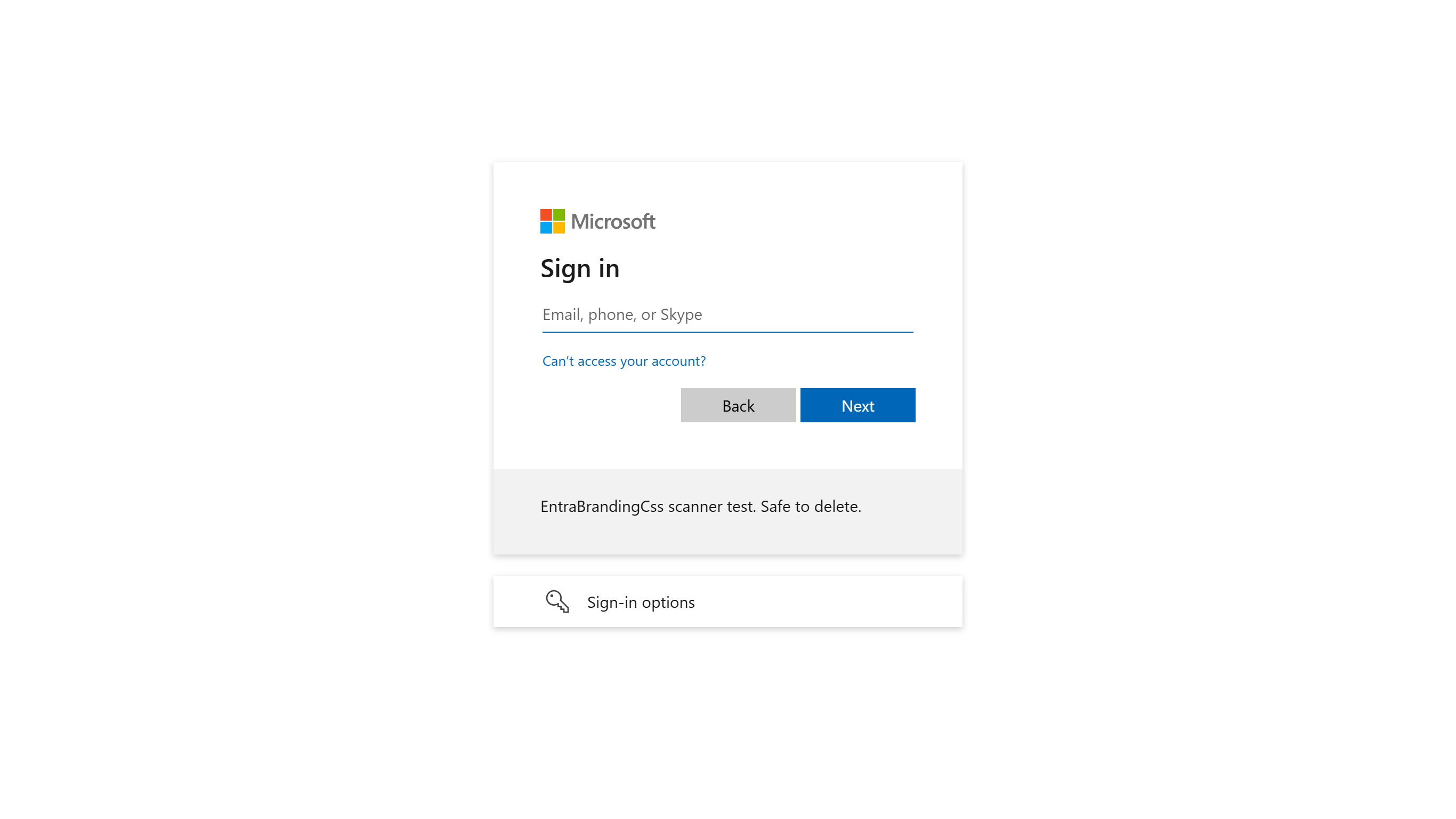
Every page load also set three feature flags in the page’s config: fDisallowCssPositioning: true, fLogDisallowedCssProperties: true and fRemoveCustomCss: true.
The reading that fits all of that is that the July 21 gate is enforced when the sign-in page renders, and Graph still stores whatever you send it. I’m holding that loosely. It’s one tenant, I couldn’t compare it with a tenant that used custom CSS before the gate, and I didn’t check whether the admin center still offers the upload button on a gated tenant.
It does change how you read a tenant scan, though. The module reads what Graph has stored. On a tenant like mine, a Retired result means the stored file uses retired properties, and the page may not be using the file at all. On a tenant that had CSS before July 21, the stored file is what the page renders today, and the findings are what changes when the rollout reaches it.
Graph gleefully accepting the CSS changes and then not displaying them is chef’s kiss.
Gaps in what I’ve tested
The tenant I really want is one that had custom CSS before July 21. That’s the only place the October 26 change is visible, and the only way to compare the page’s behavior before and after. I don’t have one yet.
Beyond that, I haven’t tested a least-privilege app holding only OrganizationalBranding.Read.All, delegated sign-in, or tenant mode on Windows PowerShell 5.1. File mode runs on 5.1 with fixture results identical to PowerShell 7.6. Microsoft.Graph.Authentication supports 5.1, so tenant mode should work there, but that’s an expectation. Linux and macOS are untested, though nothing in the module is Windows-specific.
The module also doesn’t produce a cleaned copy of your CSS. Removing a display: none changes what users see, and the README leaves that as a decision to make with the file open.
Getting the module
EntraBrandingCss is in my TechbyJeff repo at Powershell/Entra/EntraBrandingCss, with the README covering every observation above in more detail. It’s version 0.1.0 and isn’t on the PowerShell Gallery, so import it from the folder:
| |
The unit suite needs Pester 6.2 or later and runs with Invoke-Pester -Path .\Tests. On my machine that’s 109 passing tests, with the two integration suites skipping themselves until you connect to a tenant or set ENTRABRANDINGCSS_ONLINE=1.
I’m still waiting to see what the sign-in page does with a pre-gate tenant’s file after October 26.
References
- CSS template reference guide, Microsoft Learn, the source of the retired list
- MC1435782 and MC1458474, Message Center archive
- Microsoft Entra ID enhances security of branded sign-ins, Microsoft Entra Blog
- organizationalBrandingLocalization resource type, Microsoft Graph
- organizationalBrandingTheme resource type (beta), Microsoft Graph